Webex Alert for Splunk
Overview
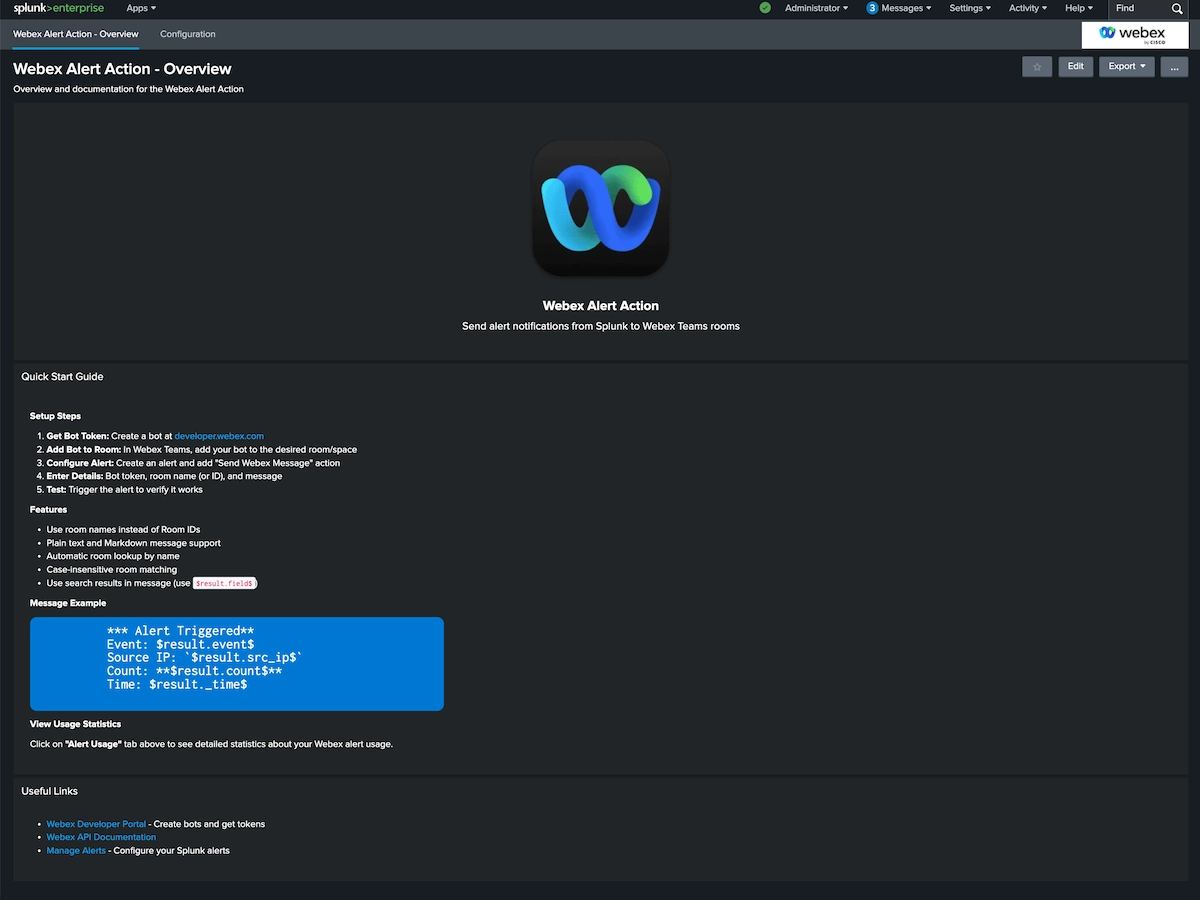
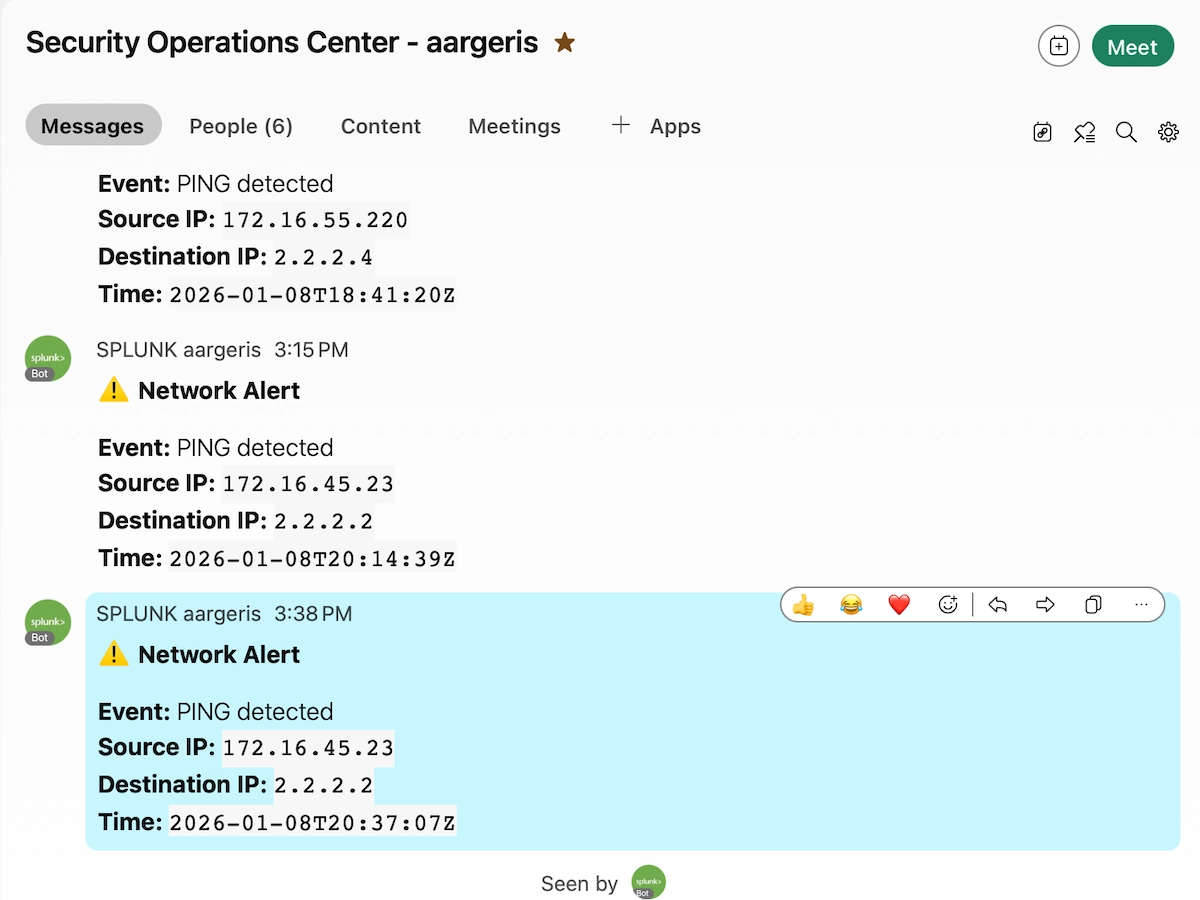
The Webex Alert app provides seamless integration between Splunk and Cisco Webex Teams, enabling automated delivery of Splunk alerts to your team's collaboration spaces. Transform your Splunk alerts into actionable Webex notifications that your team can see, discuss, and respond to immediately.
Features
🚀 Core Capabilities
- Direct Integration: Send alerts from any Splunk search directly to Webex Teams rooms
- Flexible Targeting: Support for individual spaces, group rooms, and team spaces
- Rich Formatting: Customize message content with search results and metadata
- Secure Authentication: Uses Webex Bot tokens for secure, authenticated messaging
- Easy Configuration: Simple setup through Splunk's alert actions UI
- Real-time Delivery: Instant notification delivery to your Webex spaces
🔧 Technical Features
- Python 3 compatible
- Works with Splunk Enterprise 8.0+
- Supports scheduled searches, real-time alerts, and ad-hoc searches
- Configurable message templates
- Error handling and logging
- No external dependencies beyond Webex API
Use Cases
Security Operations
- Threat Alerts: Notify SOC teams of detected threats, anomalies, or suspicious activities
- Incident Response: Alert incident response teams for immediate action
- Compliance Violations: Send notifications when compliance rules are breached
IT Operations
- System Monitoring: Alert on system failures, performance degradation, or capacity issues
- Application Performance: Notify DevOps teams of application errors or performance problems
- Infrastructure Events: Monitor infrastructure health and send critical alerts
Business Operations
- KPI Alerts: Send business metric alerts to stakeholders
- SLA Monitoring: Notify teams when SLAs are at risk or breached
- Custom Workflows: Any Splunk search can trigger a Webex notification
Requirements
Splunk Platform
- Splunk Enterprise 8.0 or later
- Splunk Cloud compatible
Webex Requirements
- Active Cisco Webex Teams account
- Webex Bot token (created via Webex Developer Portal)
- Room ID for target Webex space(s)
Network
- Outbound HTTPS access to Webex API (api.ciscospark.com)
Configuration
1. Create a Webex Bot
- Go to Webex Developer Portal
- Click Create a New App
- Select Create a Bot
- Fill in bot details:
- Bot name:
Splunk Alert Bot (or your preferred name)
- Bot username: Choose a unique username
- Icon: Optional - upload an icon for your bot
- Click Add Bot
- Save the Bot Access Token - you'll need this for configuration
2. Get Your Webex Room ID
Method 1: Using Webex Teams
1. Open Webex Teams and go to the room where you want to receive alerts
2. Click the room name, then Settings
3. Copy the Room ID from the URL or settings
Method 2: Using the API
curl -X GET https://webexapis.com/v1/rooms \
  -H "Authorization: Bearer YOUR_BOT_TOKEN"
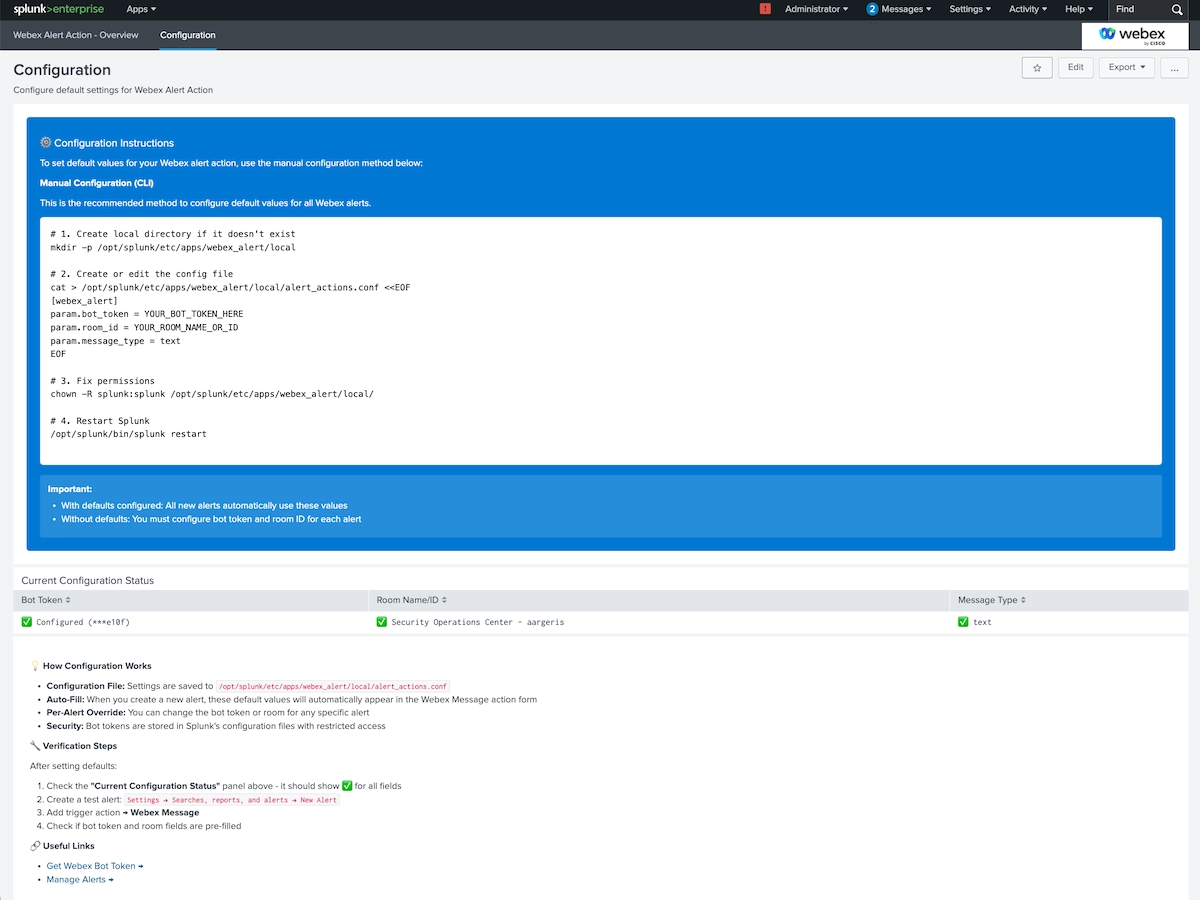
3. Configure in Splunk
- Install the Webex Alert app from Splunkbase
- In Splunk Web, go to Settings > Alert Actions
- Find Webex Alert and click Setup
- Enter your Webex Bot Token
- Save the configuration
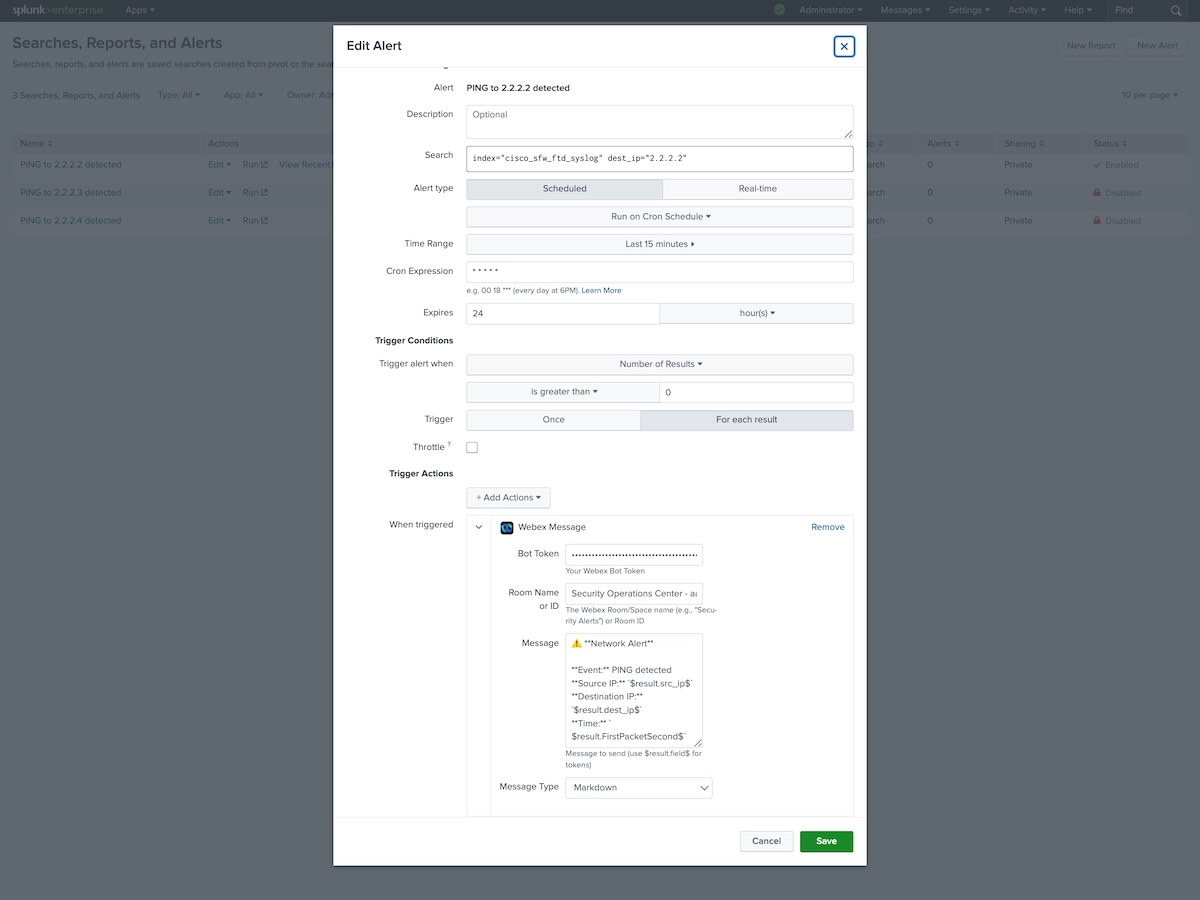
4. Create an Alert
- Run any search in Splunk
- Click Save As > Alert
- Configure trigger conditions
- Under Trigger Actions, select Webex Alert
- Enter the Room ID where alerts should be sent
- Customize the message format (optional)
- Save the alert
Message Formatting
The app supports dynamic field substitution in messages:
Alert: $name$
Time: $trigger_time$
Results: $results.count$ events found

Search: $search$
Available tokens:
- $name$ - Alert name
- $trigger_time$ - When the alert triggered
- $results.count$ - Number of results
- $search$ - Search string
- $results.*$ - Any field from search results
Security Considerations
- Bot Tokens: Store bot tokens securely using Splunk's credential management
- Room Access: Ensure the bot has been added to target rooms
- Network Security: Webex API uses HTTPS (TLS 1.2+)
- Permissions: Follow principle of least privilege for bot permissions
Troubleshooting
See the Troubleshooting tab for detailed troubleshooting steps.
Support
For issues, feature requests, or questions:
- Splunkbase: Leave a review or comment
- GitHub: [Link to your GitHub repo if applicable]
- Email: [Your support email]
Version History
Version 1.0.0 (Current)
- Initial release
- Basic Webex Teams integration
- Alert action support
- Python 3 compatible