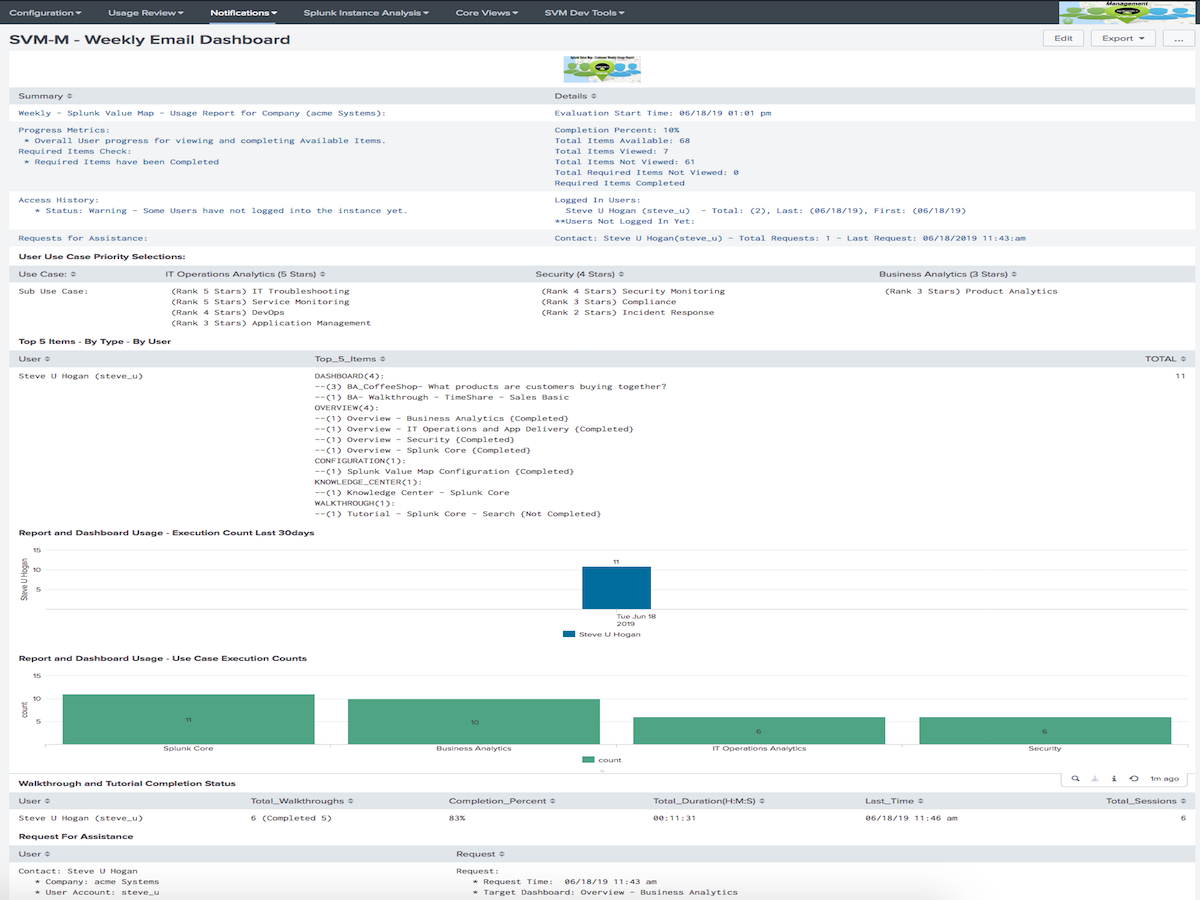
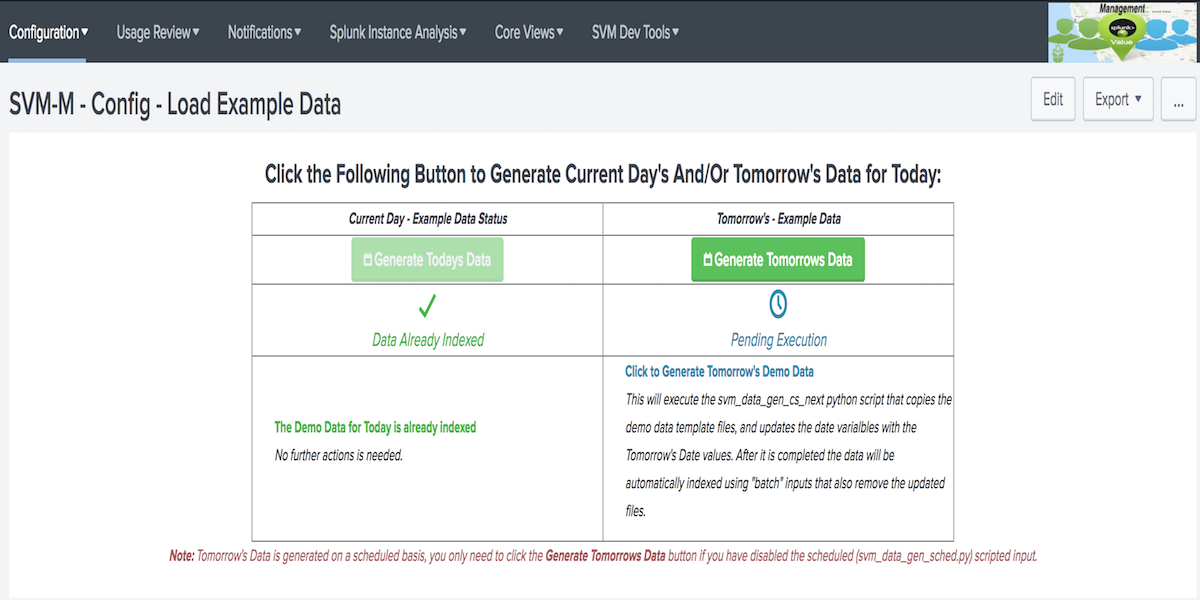
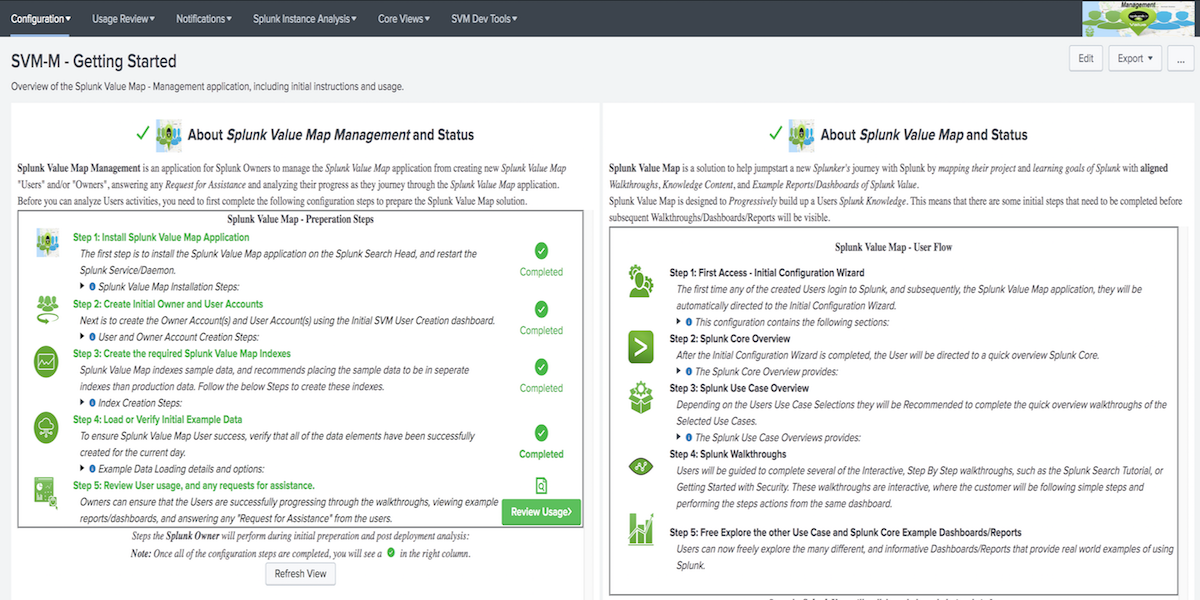
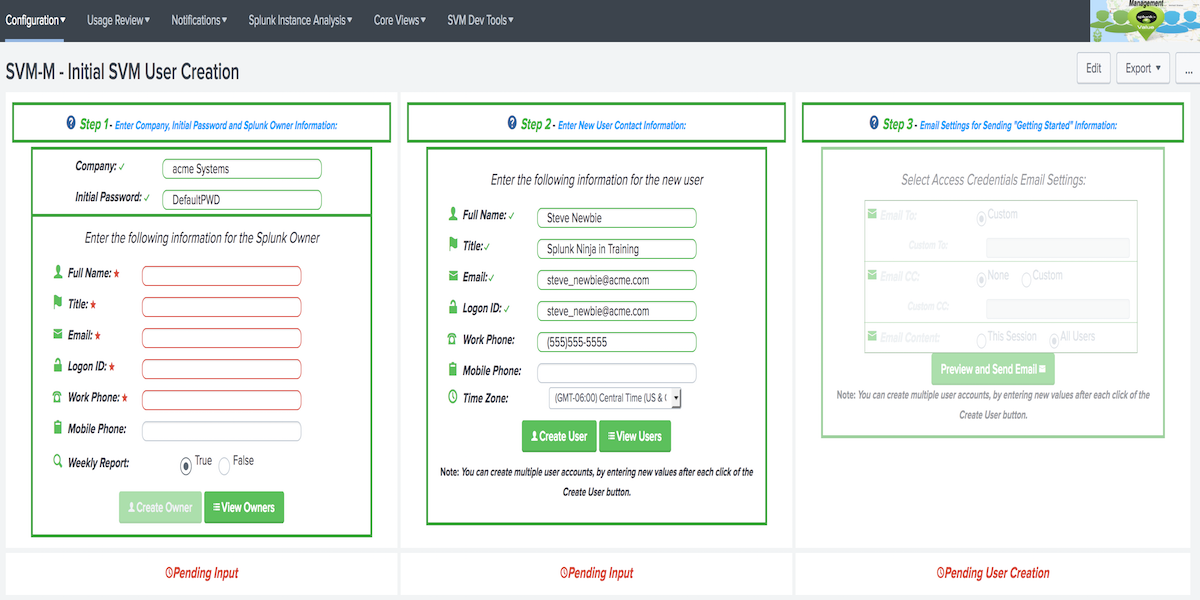
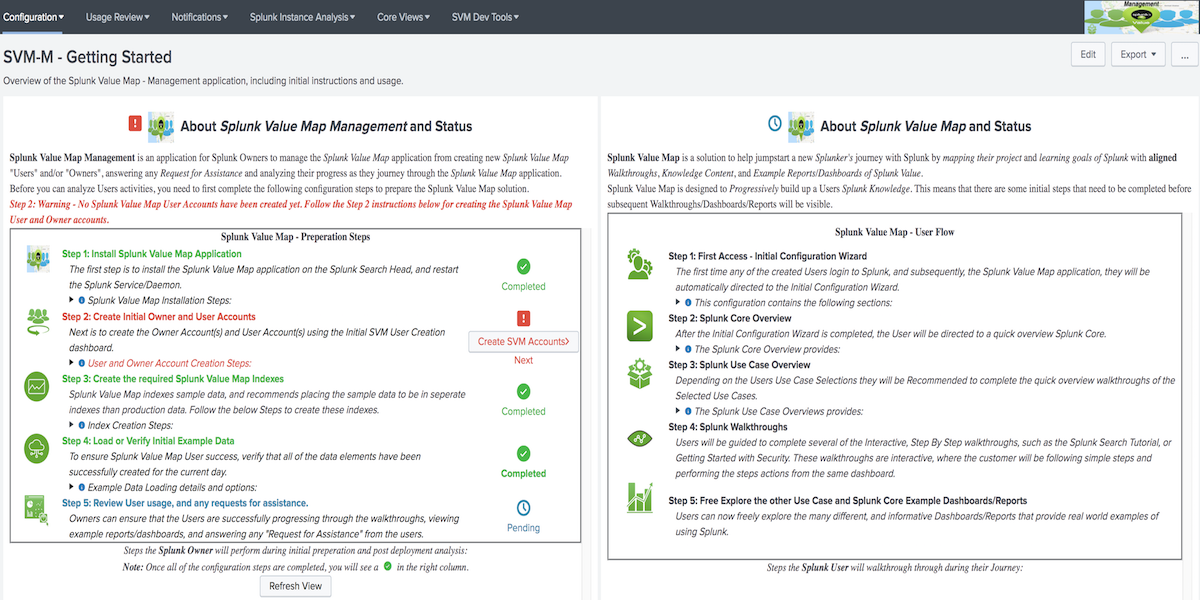

Description: Below are the preperation Steps that need to be completed with the Value Journey Manager for Splunk application before the Users will be able to use the Value Journey for Splunk application:
(Important Note: The location for where the steps will be completed depend on your Splunk environment, Splunk Cloud or Splunk Enterprise)
Description: The first step is to install both the Value Journey for Splunk and Value Journey Manager for Splunk applications on the Splunk Search Head.*
Description: Value Journey for Splunk leverages indexed sample data loaded by the Value Journey Manager for Splunk application. This section will walk you through creating the index that will hold the sample data and if needed, updating the Eventtype (vj_index) and the Roles (vj_user/vj_admin).
Description: This step will walk you through the initial enabling of the VJSampleData Modular Input, which is used to load the sample data leveraged by the example Walkthroughs, Reports and Dashboards
Description: Value Journey for Splunk leverages Splunk Lookups and Splunk Roles for determining who is the Owner of the Value Journey solution, and who are the Users. You will use the VJM - User Creation dashboard to create the actual Splunk Admin/Users in the required format and ensure the information is added to the required lookups. NOTE: You will also use this dashboard if the Splunk Admin/Users already exist, because the user account will only be added to the appropriate Role and lookup tables if it is a current Splunk User.
Description: After the above preparation steps have been completed, and Users have started their Value Journey Owners can leverage the dashboards/reports available in the Value Journey Manager for Splunk application to ensure that the Users are successfully progressing through the walkthroughs, reports, dashboards, and review any Request for Assistance.
Below is a simple outline of where the Value Journey applications need to be installed depending on the Splunk Environment (Splunk Cloud/Enterprise).
Splunk Cloud:
Splunk Enterprise (On-Premise):
Below are the specific steps that you will be guided through using the VJM - Getting Started dashboard. Use the following information as a guidance only, the Getting Started dashboard will walk you through the preperation steps based off the instance where the steps are being performed.
Note: If you are going to use the Splunk Cloud IDM instance for loading the sample data, instead of an on-premise Heavy Forwarder, then you can use the outlined steps in section Step 3 - Option 1: Use the Splunk Cloud IDM (Inputs Data Manager) to load Sample Data:” below for opening a Splunk Cloud Support request to have the Value Journey Manager for Splunk installed on the IDM instance.
Note: The following steps will use the legend below for the type of instance(s) the step will be performed on, depending on your Splunk Environment or selected options:
| Abbreviated Key | Description |
|---|---|
| SH | For steps performed on the Splunk Search Head instance. (Splunk Cloud or Splunk Enterprise). |
| Indexer | For steps performed on the Splunk Indexer instance. (Splunk Enterprise Deployments only). |
| HF | For steps performed on the "On-Premise" Splunk Heavy Forwarder. (Splunk Cloud or Splunk Enterprise) |
| IDM | For steps performed on the Splunk Cloud Inputs Data Manager (IDM). (Splunk Cloud Deployments only) |
Step 1 - ( SH ) - Install Value Journey applications :
- Description: Install both the Value Journey for Splunk and Value Journey Manager for Splunk applications on the Splunk Search Head.
Value JourneyStep 2 - ( Cloud SH or Enterprise Indexer ) - Create the Sample Data Index :
- Description: This section will walk you through creating the index that will hold the sample data used by the Value Journey for Splunk application. Note: if you plan to use a different index name than vj_ex , you will perform the Extra Steps for updating the Eventtype (vj_index) and Roles (vj_user/vj_admin).
2.2 Click New Index and use one of the below Index Options for the new index settings:
Extra Steps for Index Option 2 Only - ( Important Perform these steps on the SH Only ):
index=vj_ex To index=custom_index, replaceing custom_index with the index name created in step 2.2Step 3 - ( IDM or HF ) - Load Value Journey Sample Data :
- Description: The Value Journey for Splunk application leverages sample data for its example reports, dashboards and interactive Walkthroughs. Choose one of the options below for loading this required sample data, depending on your Splunk Environment and preference. - Note: Data Inputs are not allowed on a Splunk Cloud Search Head, so use one of the below options to load the required Sample Data.
Option 1 - (IDM) - Use Splunk Cloud IDM (Inputs Data Manager) to load the Sample Data :
- Description: If your Splunk Cloud environment has a Splunk Cloud IDM (Inputs Data Manager) instance and you want to use it for loading the Sample Data, then follow the below steps: :
Option 2 - ( HF ) - Use an On-Premise Splunk Heavy Forwarder to load the Sample Data :
- Description: Install Value Journey Manager for Splunk app on the Splunk Heavy Forwarder and enable VJSampleData modular input:
Step 4 - ( SH ) - Create Value Journey Owner and User Accounts :
- Description: Value Journey for Splunk leverages Splunk Lookups and Splunk Roles for determining who is the Owner of the Value Journey solution, and who are the Users. In order to populate the lookup table with the correct information, and to create the actual Splunk Users in the required format, you will use the VJM - User Creation dashboard to do this
- Note: At least one Admin/Owner Account and one User is required for the Value Journey solution.
- Note: Complete the following steps even if the target Owner/User account already exist, so the account will be added to the required lookups and roles.
Version 1.2.0:
- Updated for Splunk Version 8+ Support
- Fixed Modal Popups for Splunk Version 8+ Support
- Other Minor fixes, updates.
Version 1.1.0
- Replaced the Sample Data Loading from Batch Input to a Modular Input.
- Now be supported on Splunk Cloud IDM instances to load the Sample Data. Note: Splunk Cloud Search Heads disable inputs by default, so either the Splunk Cloud IDM instance or a local Splunk Heavy Forwarder will be needed to load the required Sample Data.
- Removed the requirements for 3 specific named indexes. Instead only a single index is needed and can now be custom named, with the additional step to update the vj_index Eventtype.
- Enhanced the Getting Started dashboard to help streamline the preperation steps.
- Updated the steps for installing either in a Splunk Cloud or Splunk Enterprise environment. Please read the details for more information.
Version 1.0.0:
- Initial Released Version
As a Splunkbase app developer, you will have access to all Splunk development resources and receive a 10GB license to build an app that will help solve use cases for customers all over the world. Splunkbase has 1000+ apps from Splunk, our partners and our community. Find an app for most any data source and user need, or simply create your own with help from our developer portal.